Tmux Buffers: Load, Save, Paste
Leverage tmux buffers to work efficiently across multiple remote machines
If you're an advanced terminal user working across multiple VMs, ephemeral nodes, and pods, it's not always possible to load your custom configs and commands on those machines when you need them.
With tmux, we can use tmux buffers to load or inject custom snippets. Tmux popups unlock many use cases for tmux buffers, especially when viewing and manipulating large streams of data.
Inspect Large Terminal Output
When working with a long list of command executions or inspecting logs, analyzing them in a full-fledged editor like VS Code or Vim is much faster.
I use it to view large logs in VS Code, paired with custom keyboard shortcuts that expand stack traces with rich syntax highlighting.
# save scrollback buffer
bind C-s run-shell -C "
  capture-pane  -b #{client_pid}-#{pane_pid} -J -S -
  save-buffer   -b #{client_pid}-#{pane_pid} /tmp/tmux-#{client_pid}-#{pane_pid}
  delete-buffer -b #{client_pid}-#{pane_pid}
  display-popup -E -w 100% -h 100% edit /tmp/tmux-#{client_pid}-#{pane_pid}
"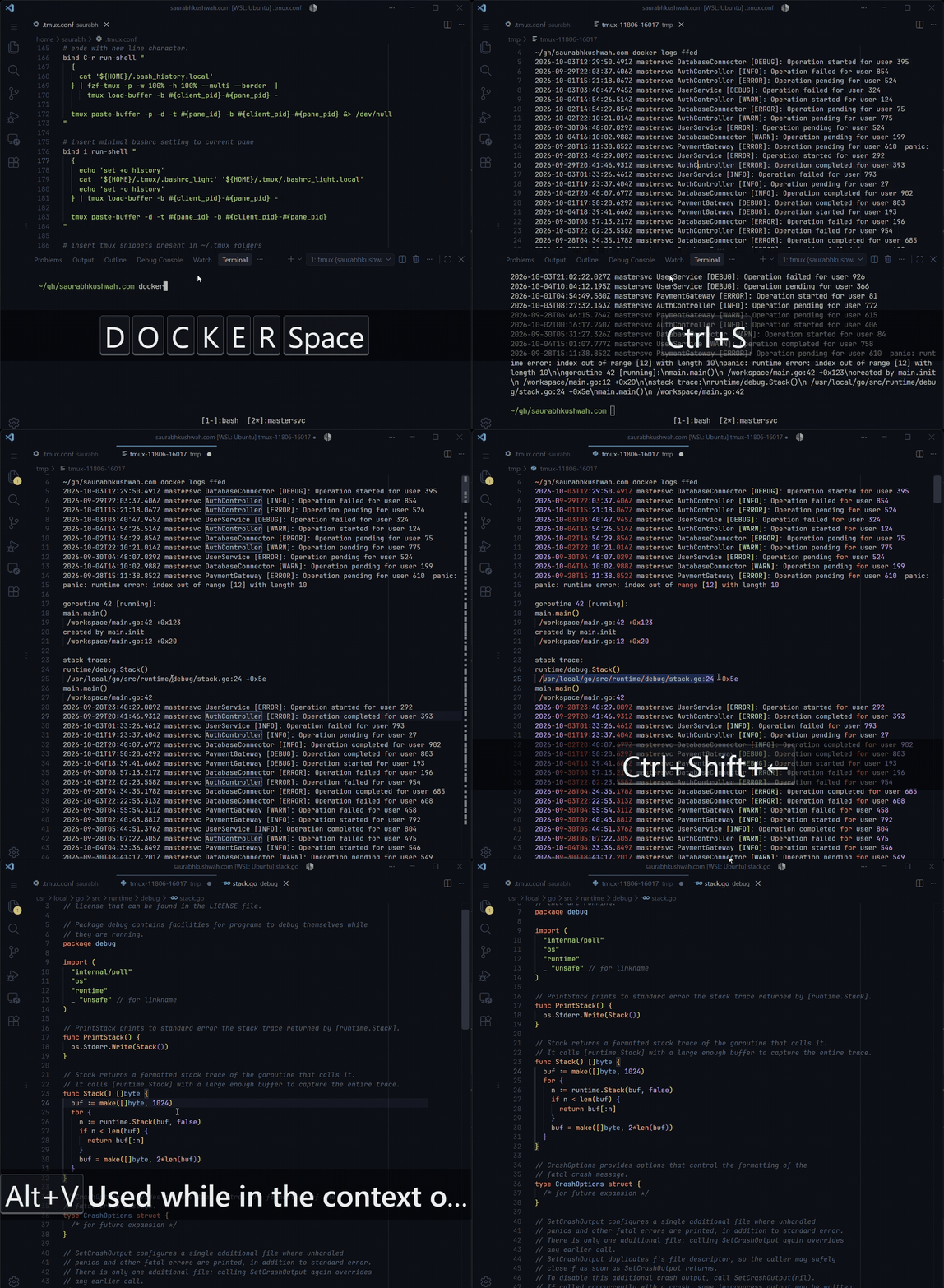
edit is a command that opens the file in an editor like vim or code -r. We are saving the pane output in the /tmp folder so that we can revisit it if we accidentally clear the scrollback buffer.
Inject Common Commands
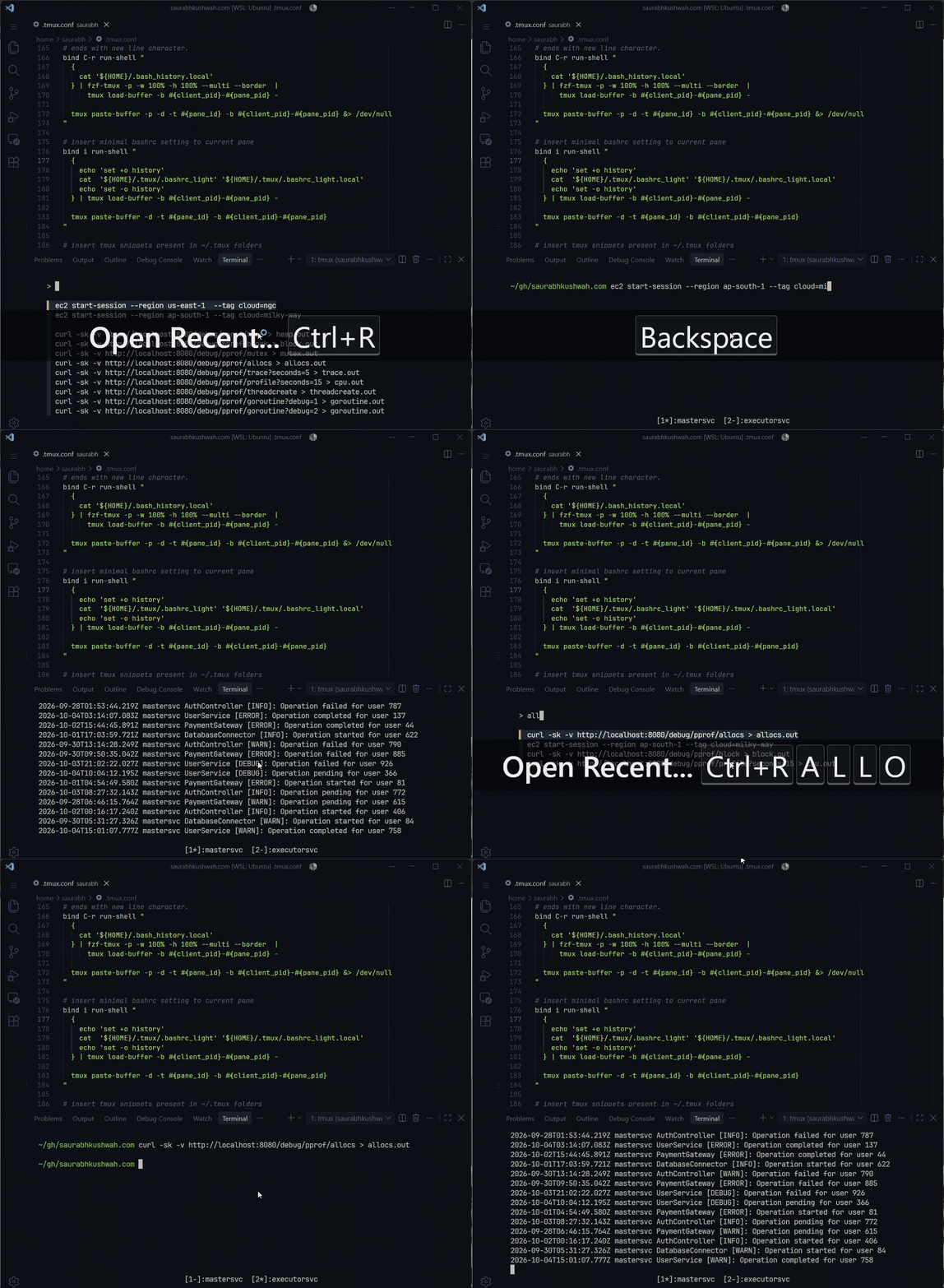
When working on multiple VMs or ephemeral nodes, it's not always possible to load our custom configs or run custom commands. In those cases, it's a good idea to store them in a specific file such as ~/.bash_history.local and inject the command into that pane.
In the snippet below, we prevent CR at the end of the buffer so that we can modify the injected snippets before running them. In most cases, this allows us to change flag values and similar settings.
# insert history in current pane
# cat '${HOME}/.bash_history' | awk 'NR % 2 == 0'
# -p makes tmux enter paste bracket mode and
# prevents CR at the end of the buffer since it
# ends with a newline character.
bind C-r run-shell "
  {
    cat '${HOME}/.bash_history.local'
  } | fzf-tmux -p -w 100% -h 100% --multi --border  |
      tmux load-buffer -b #{client_pid}-#{pane_pid} -

  tmux paste-buffer -p -d -t #{pane_id} -b #{client_pid}-#{pane_pid} &> /dev/null
"
Load Minimal Shell Config
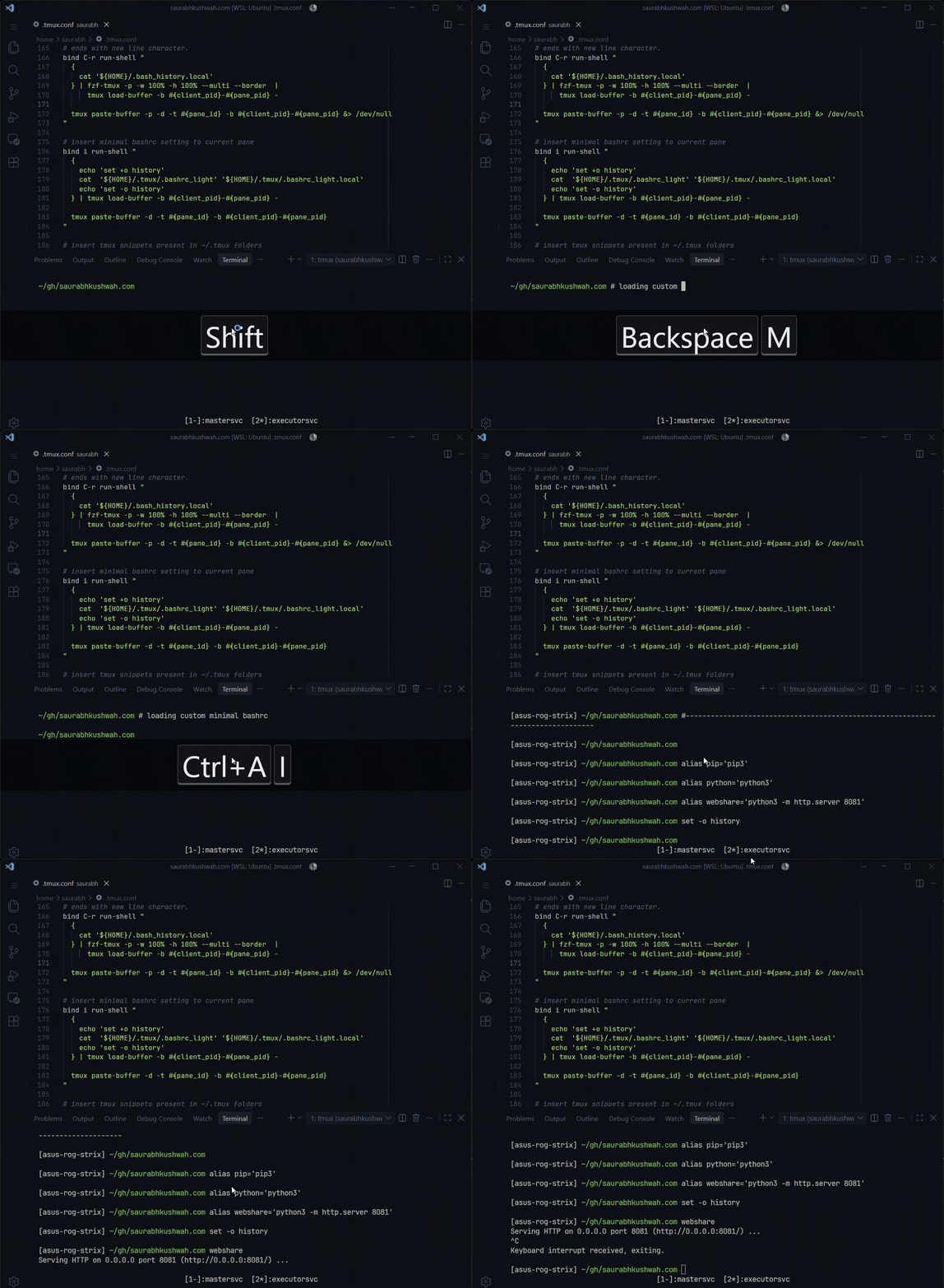
With a single keystroke, we can inject our shell config into the running pane. We load ~/.bashrc_light along with a local file from the host VM into the current tmux pane.
# insert minimal bashrc settings into current pane
bind i run-shell "
  {
    echo 'set +o history'
    cat  '${HOME}/.tmux/.bashrc_light' '${HOME}/.tmux/.bashrc_light.local'
    echo 'set -o history'
  } | tmux load-buffer -b #{client_pid}-#{pane_pid} -

  tmux paste-buffer -d -t #{pane_id} -b #{client_pid}-#{pane_pid}
"
Load Long Command Snippets
Suppose we are in an SQL interpreter and want to run a long SQL function on this database. We can keep these SQL snippets in the ~/.tmux/ folder, and when we run the command below, the snippets are injected into the SQL interpreter.
# insert tmux snippets present in ~/.tmux folders
bind C-i run-shell \
	-C "display-popup -E -w 100% -h 100% tmux-snippets -t #{pane_id}"
tmux-snippets is a utility script that lists all the files in the ~/.tmux folder and, using fzf, either injects the file contents or executes the command and pipes its output.
# FILE_NAME is what we select using fzf
# PANE_ID (-t) and RUN_AND_PIPE_OUTPUT (`-r`)
if [[ $RUN_AND_PIPE_OUTPUT == "true" ]]; then
  bash "$FILE_NAME" 2>&1 |
    xargs -0 -I '{}' tmux send-keys -t "$PANE_ID" -- '{}' Enter
else
  cat "$FILE_NAME" | vipe |
    xargs -0 -I '{}' tmux send-keys -t "$PANE_ID" -- '{}' Enter
fi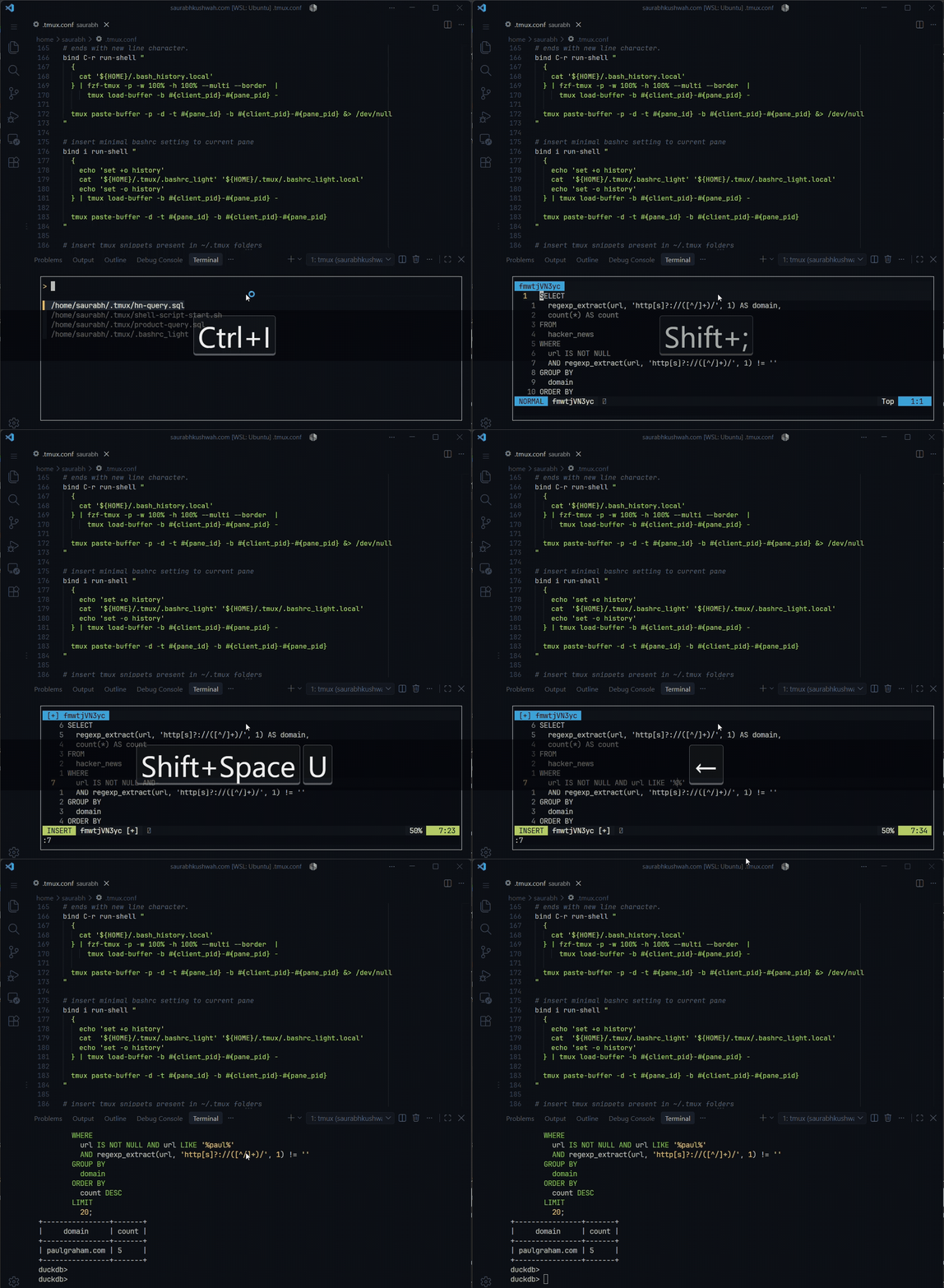
Run Output of a Command
Often, we want to download a binary from S3 on a remote VM, which requires AWS credentials. In that case, we can inject the output of aws configure export-credentials, which runs on the host machine. This helps avoid manually copying and pasting credentials and exporting them.
# run the script present in ~/.tmux and write output to the pane
bind C-o run-shell \
	-C "display-popup -E -w 100% -h 100% tmux-snippets -r -t #{pane_id}"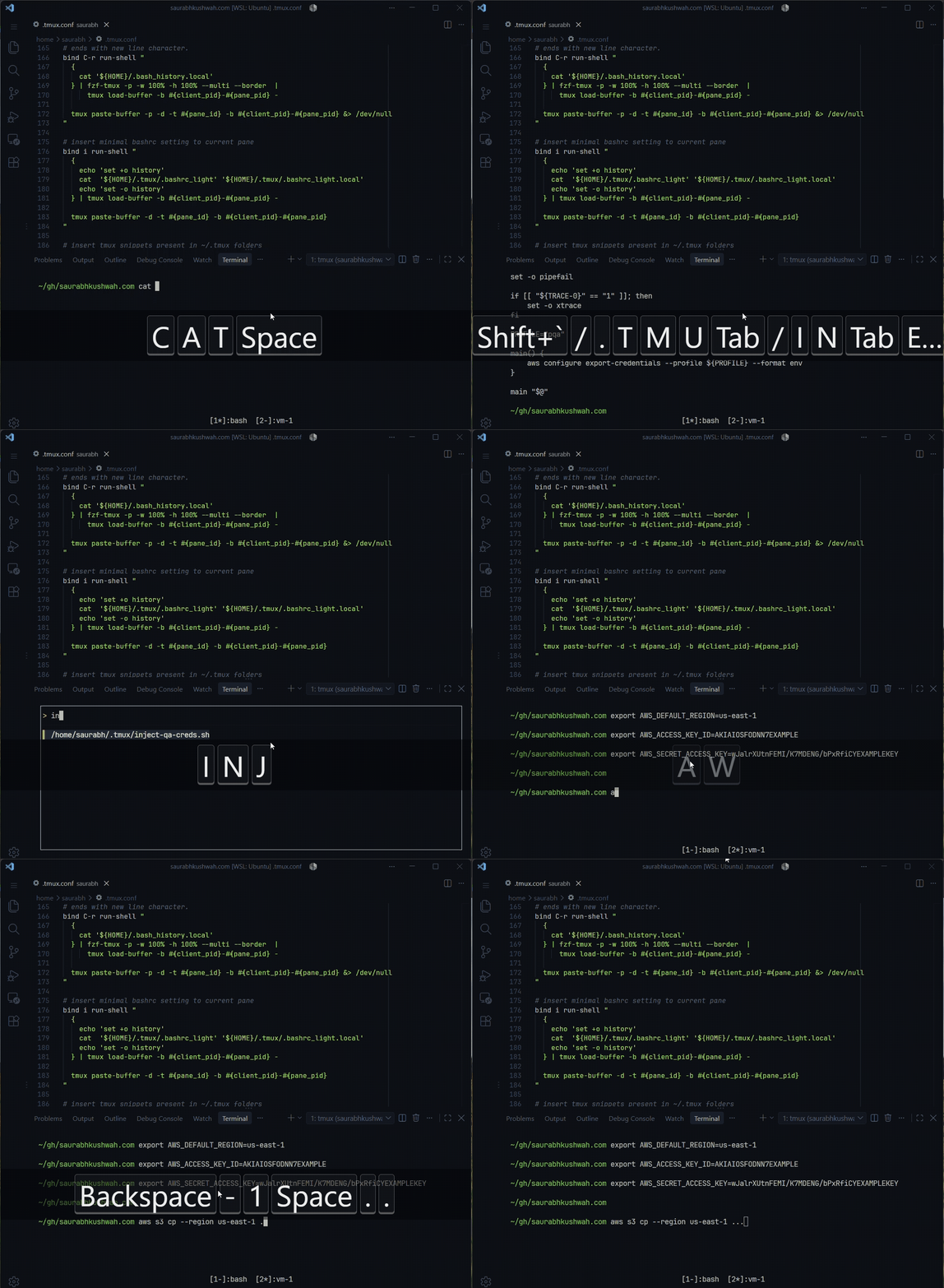
Published on October 4, 2026 • 4 min read